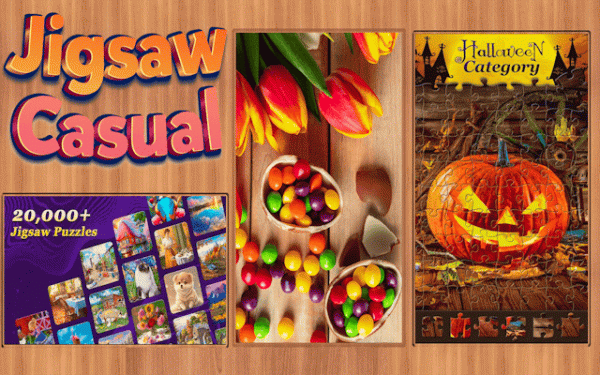
Picture Assembly Studio

Picture Assembly Studio

Developer: Bonefall Labs
Updated: 2026-07-20
Picture Puzzles , Logic Games , Relaxation Games
Advertisement

Review

Picture Assembly Studio succeeds in recreating the satisfaction of traditional puzzles in a digital format. The image library is thoughtfully curated with crisp, appealing visuals that make assembly enjoyable. The ability to adjust piece counts for each puzzle adds real replay value, and the custom photo feature is a thoughtful touch. Controls are responsive and intuitive, making it easy to jump in for a few minutes or settle in for a longer session. The lack of timers or pressure keeps the experience relaxing, exactly what a casual puzzle game should be.

Faq

Can I play Picture Assembly Studio on a mobile device?
The game is designed for web browsers on desktop and laptop computers. Touchscreen functionality may vary depending on your device. Check the game's system requirements page for specific platform support details before starting.
How many pieces can I use for a single puzzle?
The game provides several piece count options, ranging from a small number suitable for quick sessions up to a higher count for extended play. The exact maximum number depends on the image selected and your device's performance capabilities.
Is there a time limit for completing puzzles?
No time limits are imposed. Players can work at their own pace, taking breaks as needed. The auto-save feature preserves progress, so you can return to an unfinished puzzle hours or days later without losing your work.
Can I share my custom puzzles with friends?
Custom puzzles created from your own photos are stored locally and are not automatically shared. The game does not include a built-in sharing feature. You would need to share the original photo file separately if you want others to try the same puzzle.
Does the game include any sound effects or music?
A background soundtrack and subtle sound effects accompany the assembly process. These can be adjusted or muted through the settings menu. The audio is designed to be calming and non-intrusive, supporting a relaxed atmosphere.
How often are new images added to the library?
The image library receives updates on a regular schedule, typically with new pictures added weekly. These updates include a mix of seasonal themes, popular landmarks, and fresh artistic works. No additional purchase is required to access new content.

About This Game

Core Assembly Mechanics

Players select an image from a curated library of high-quality photographs and illustrations. Each picture is divided into interlocking fragments that must be placed on a virtual board. The interface uses straightforward click-and-drag actions to move each piece, simulating the tactile experience of working with physical cardboard cutouts. A side panel holds all available fragments, and the main workspace provides ample room for arrangement. This design keeps the focus on pattern recognition and spatial reasoning without complicated controls.

Image Library & Variety

The collection includes hundreds of images spanning natural landscapes, architectural wonders, wildlife portraits, and artistic compositions. New pictures are added on a regular basis, giving returning players fresh material to work with. Each image is rendered in clear, detailed resolution so that color gradients and fine lines remain visible even when divided into many small pieces. This variety ensures that players can always find a subject that appeals to their personal taste.

Difficulty Customization

Players can adjust the challenge level by choosing how many fragments to use for each puzzle. Options range from a modest number suitable for quick sessions to a higher count that requires more time and concentration. This flexibility accommodates both casual players looking for a brief mental break and those who prefer a longer, more immersive activity. The ability to select piece count independently for each puzzle means the same image can be experienced in different ways on different days.

Personal Creations & Progress Tracking

An option to upload personal photographs allows players to transform their own memories into puzzles. This feature works with standard image formats and maintains the original picture quality. The game automatically saves progress on any unfinished assembly, so players can step away and return later without losing their work. A completion log shows which puzzles have been finished, encouraging players to work through the entire library at their own pace.

Helpful Tools & Visual Clarity

For moments when a piece seems difficult to place, a hint function can highlight the next correct position. A preview window displays the completed image, helping players orient themselves during assembly. The workspace remains uncluttered, with no distracting animations or intrusive menus. These tools support the puzzle-solving process without removing the satisfaction of independent discovery.

Compatibility

▸ Desktop: Chrome / Edge / Firefox / Safari
▸ Mobile: iOS Safari / Android Chrome
▸ Tablet: iPadOS Safari / Android Tablet Browser
Keep your browser updated for the best experience

Comments

0 comments
U
User
Loading comments...