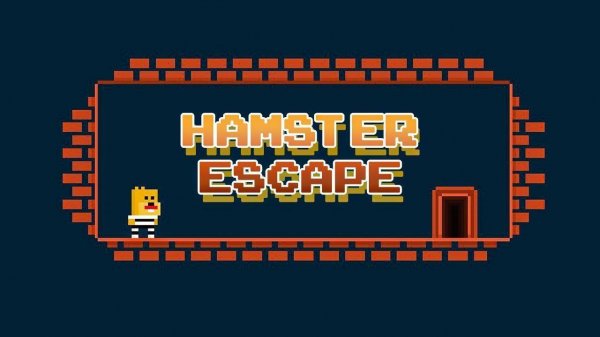
Game Introduction
Hamster Home Quest: Puzzle Adventure is a puzzle adventure game where players help a lost hamster find its way back to its burrow. The hamster has become separated from its home, and players guide it through a series of thoughtful challenges. Each level presents new tasks that require careful observation and problem-solving skills. The game combines a lighthearted story about hope and determination with engaging puzzle mechanics. It is designed for players who enjoy thoughtful challenges in a cute and welcoming package. The narrative focuses on the hamster's journey, emphasizing perseverance and clever thinking. The game's charm lies in its gentle difficulty curve and the satisfaction of solving each puzzle. It is suitable for all ages and provides a relaxing yet stimulating experience. The core objective is to reunite the hamster with its cozy burrow by overcoming obstacles and unlocking paths. The game encourages players to think creatively and pay attention to details. It is a perfect choice for those who appreciate a blend of storytelling and puzzle-solving in a safe, family-friendly environment.
How to Play
Players typically use a mouse or touchscreen to interact with the game world. Clicking or tapping on objects allows players to examine them and discover clues. Dragging items can help solve puzzles and progress through levels. Guiding the hamster involves pointing to where it should go. Each level includes unique tasks such as finding hidden keys or arranging objects in a certain order. Paying close attention to the surroundings is important, as hints are often visible but easy to overlook. Some puzzles require multiple steps, so thinking carefully before acting is beneficial. The controls are intuitive and easy to learn, making the game accessible to players of all skill levels. The game provides a gradual introduction to its mechanics, allowing new players to become comfortable with the interface. The focus is on exploration and logical thinking rather than speed or reflexes.
Game Features
Game features include a charming hamster protagonist that players guide through various puzzles. The puzzle design is clever and keeps each level feeling fresh and engaging. The family-friendly story is suitable for all ages and emphasizes positive themes. Intuitive point-and-click controls make the gameplay smooth and accessible. Multiple levels of increasing difficulty provide a gradual challenge that grows with the player. The game combines problem-solving with a touching narrative about hope and determination. The visual style is cute and inviting, creating a relaxing atmosphere. Players can expect to use observation and logic to overcome obstacles. The game may include elements like hidden objects and environmental puzzles that require careful exploration. The overall experience is designed to be rewarding without being frustrating, encouraging players to think creatively.
Tips for Success
Take time to explore each level thoroughly. Look for interactive objects and try combining items if a puzzle seems stuck. Pay close attention to visual cues and patterns, as they often hint at solutions. Replay earlier levels to sharpen observation skills. Stay patient and enjoy the journey, as each challenge is designed to be rewarding without being frustrating. Practice regularly to improve problem-solving speed and accuracy. Learning the mechanics of each puzzle type will help in later, more complex levels.





Comments
0 comments